
Blocs Pro introduces support for full Code Pages within your projects. Code Pages can be edited and managed visually, much like traditional Blocs pages, while also giving you direct access to the page’s complete source code for greater control and flexibility.
Code Pages offer complete freedom over both content and structure, allowing you to create virtually any type of page or website. You can build entirely with code, or combine it with core Blocs and a selection of Brics to take advantage of Blocs’ visual editing features where it makes sense. Custom Brics are not available on Code Pages
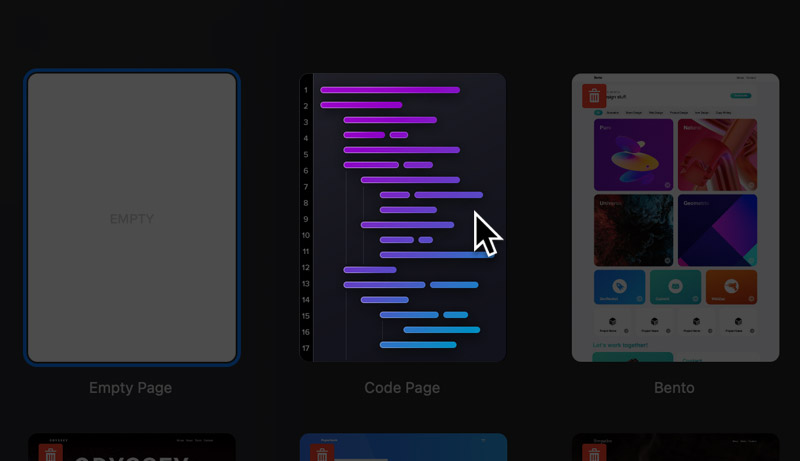
Add A Code Page
You can start a new project with a Code Page as your home page, or add Code Pages to an existing project using the standard Add Page options.
Shotcodes
Code Pages support a range of optional shortcodes, allowing you to build web pages with or without the standard Blocs JavaScript and CSS. This also gives you the freedom to create pages without relying on the Bootstrap framework.
Some shortcodes enable additional settings in the Inspector. For example, adding the {blocs-base-js} shortcode enables ScrollFX by including the required JavaScript. If you remove this shortcode, ScrollFX will be disabled in the Inspector because the required JavaScript is no longer included on the page.
The Bloc Bar works in a similar way. If you don’t include the {blocs-base-css} shortcode, the Bloc Bar will be disabled, leaving only the Bric Bar available on the Code Page. This is because all standard Core Blocs currently require the Bootstrap framework.
Below is a list of all currently supported shortcodes:
- {blocs-meta-favicon-link} = Project settings favicon path.
- {blocs-analytics} = Project settings analytics value.
- {blocs-meta-title} = Page settings title value.
- {blocs-meta-keywords} = Page settings keyword value.
- {blocs-meta-description} = Page settings description value.
- {blocs-meta-additional} = All other additional page settings meta (social cards etc).
- {blocs-base-css} = Blocs base CSS links (includes bootstrap CSS).
- {blocs-base-js} = Blocs base JS links (custom interactions & Bootstrap JS links).
- {blocs-google-fonts} = Used Google font CSS.
- {blocs-css-attachments} = All project and page CSS attachment links.
- {blocs-js-attachments} = All project and page JS attachment links.
PHP Live Rendering
Code Pages also support live PHP rendering directly on the design canvas, allowing you to preview the output of your PHP code as you build your page. This makes it easier to work with dynamic content and see how your page will appear when hosted on a PHP-enabled web server, without needing to publish your project to test changes.